
Our call-tracking app · in active development
RingDashA missed call becomes a callback, not a lost lead.
Every call to a tracking number rings your team at once. The ones nobody answers land in a callback queue, and the spam never reaches your phones. We built it for our personal injury law firm clients.
The screens
What your intake team sees.
Captured from a RingDash account loaded with sample data: the client, numbers and callers below are fictional.
Every call, sorted
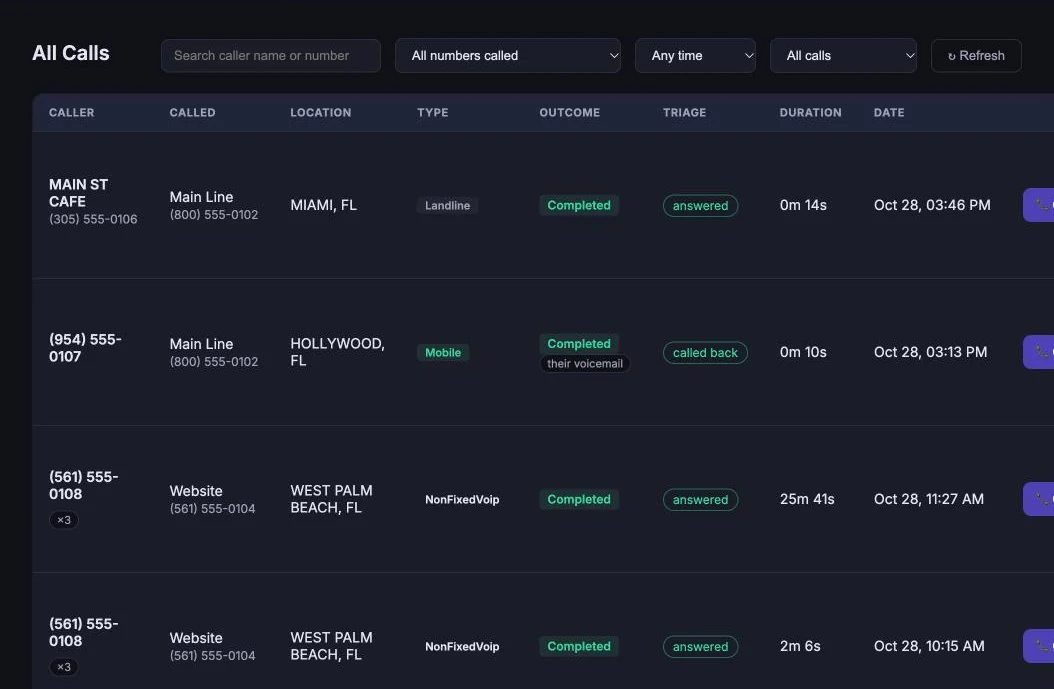
Search by caller, filter by number called, date range or outcome, and see at a glance whether a call was answered, went to voicemail or was already called back. Play the recording, call back or mark spam from the same row.
Which line is working
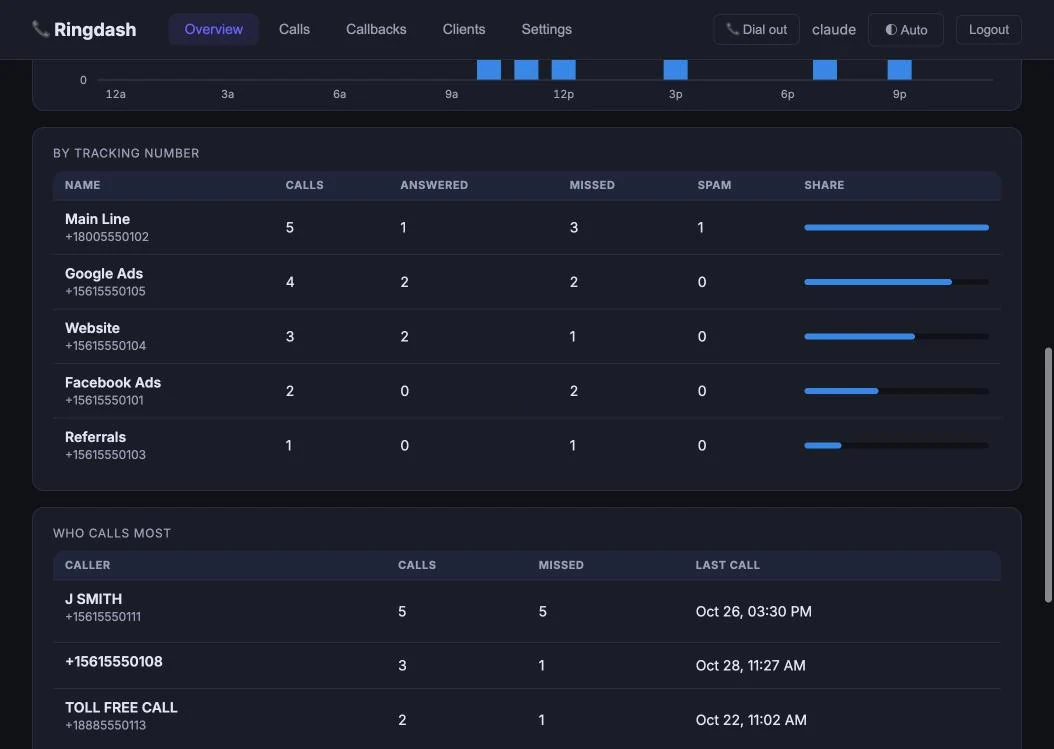
Calls, answered, missed and spam per tracking number, with a share bar, plus a list of who calls most. It shows which campaign rings and which one rings into a voicemail.
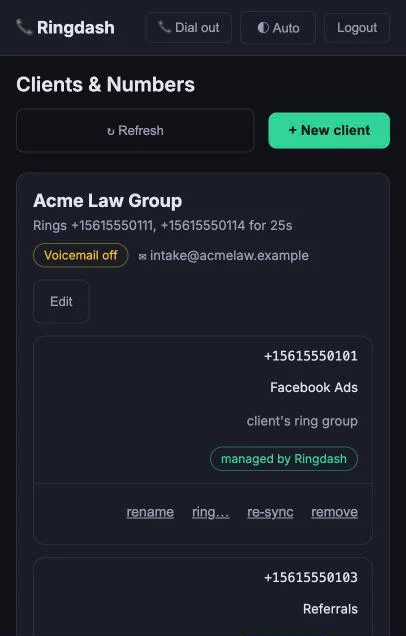
Clients and numbers in one place
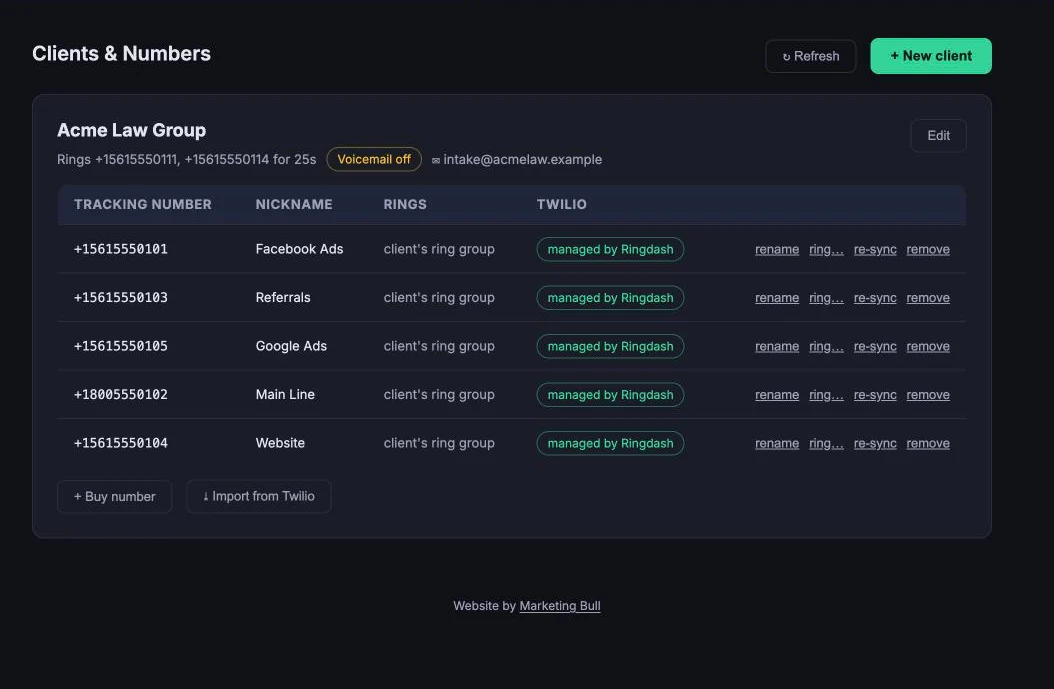
Each client has its own ring group, ring time and voicemail setting, and every tracking number has a nickname, such as Facebook Ads or Google Ads. Buy a number or import one from Twilio without leaving the page.
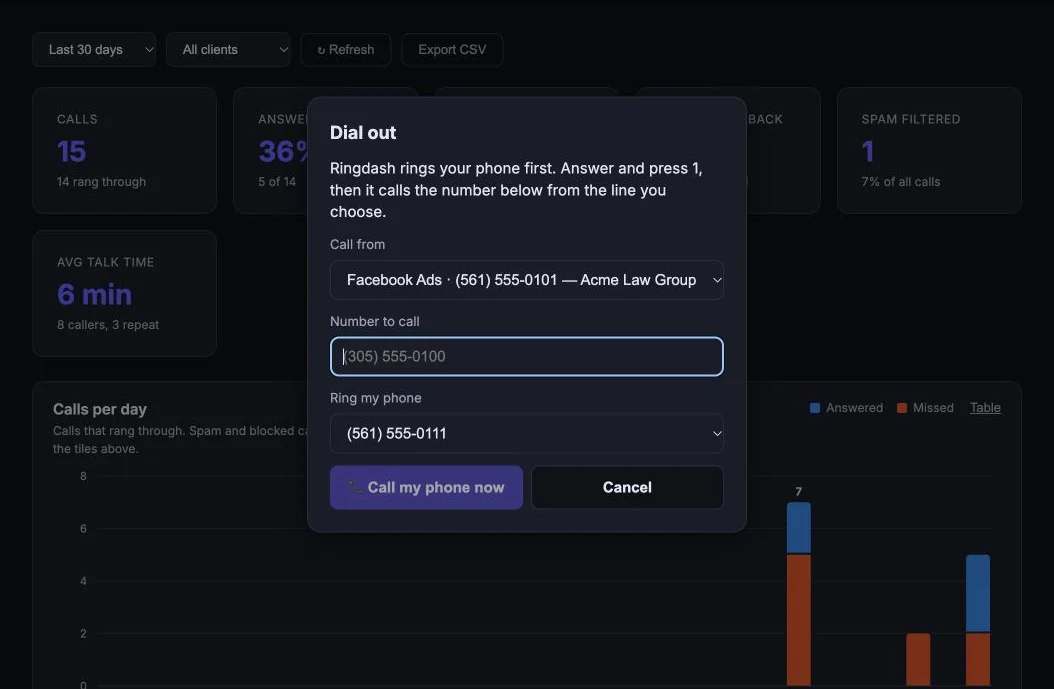
Call back from the firm’s number
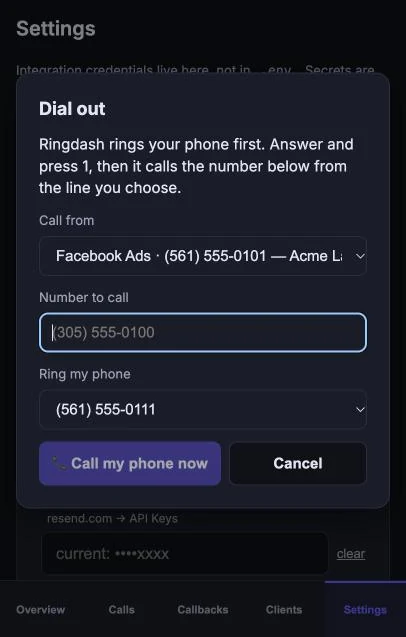
Dial out rings your own phone first. Answer and press 1, and RingDash places the call from the tracking number you choose, so the person you reach sees the firm’s line and the call is tracked.
On your phone
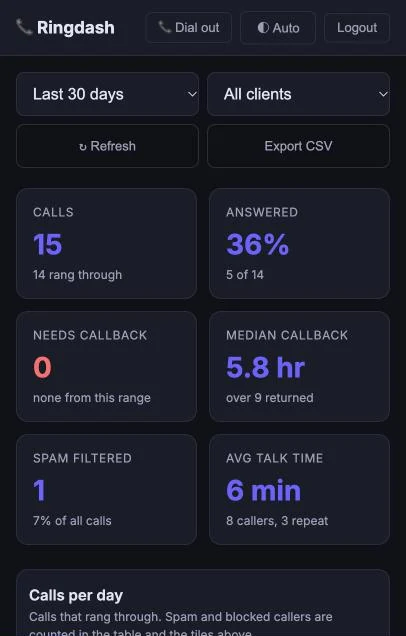
The same dashboard, in your pocket.
RingDash installs as an app, so the callback queue and missed-call alerts are one tap away wherever your team is.
What it does
Built for firms that pay for leads.
Personal injury firms need to know which calls were answered, missed or spam, and how fast a missed call got a callback.
- Tracking numbers per client or campaign, with ring groups that ring every phone at once and a voicemail fallback
- An email for each call with one-click triage, so spam and real leads are sorted from your inbox
- A callback queue for missed calls, with a push alert to every subscribed phone when one comes in and a reminder when a callback is overdue
- Spam triage and a blocklist, so repeat nuisance callers never ring your team
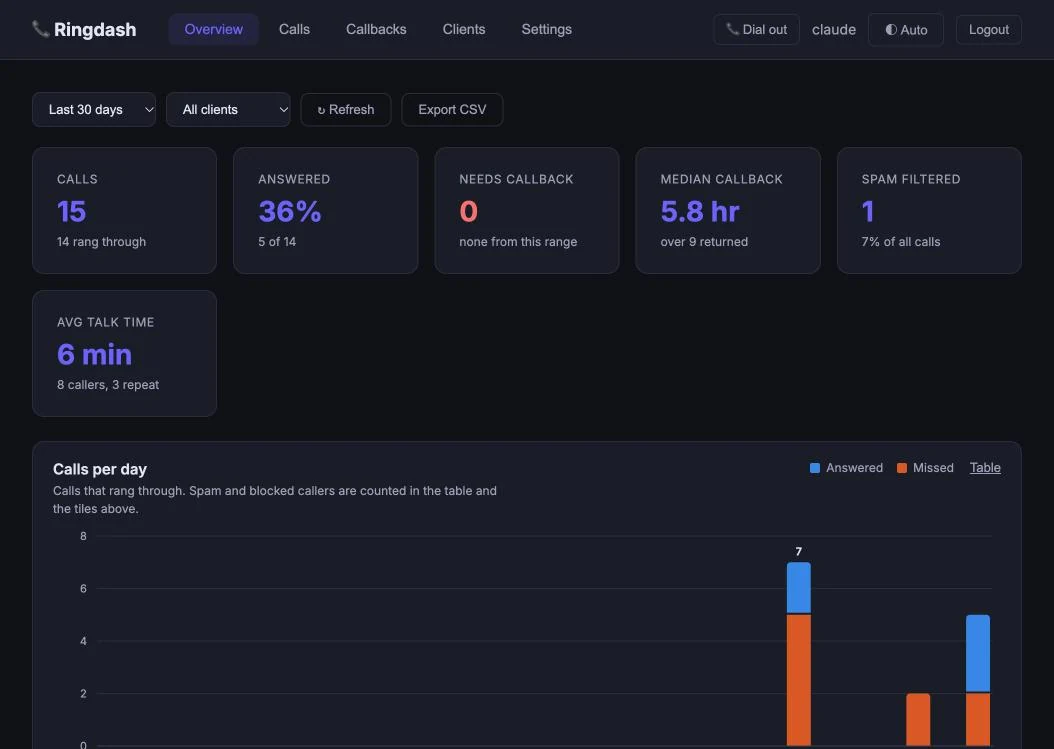
- Dated reports: call volume, answer rate, spam share, callback speed and top callers, per client and per line, with CSV export
- Installs as an app on your phone, so the callback queue and missed-call alerts are always in your pocket
How it starts
Three steps.
- Ask us about RingDash on a free consultation.
- We provision your tracking numbers and route them to your team.
- Missed calls start landing in your callback queue, and your reports start filling in.
RingDash is in active development and its source is private, so there is nothing to download. See also the apps we've built and our free tools.
Want every call accounted for?
Twenty minutes is enough to see whether RingDash fits how your firm handles intake.